What it is
Utter puts dictation and meeting notes in one small desktop app. Speech to text runs on my own computer, on the graphics card if there is one. The AI writing uses a service I pick with my own key, or Ollama locally. Utter has no servers of its own.
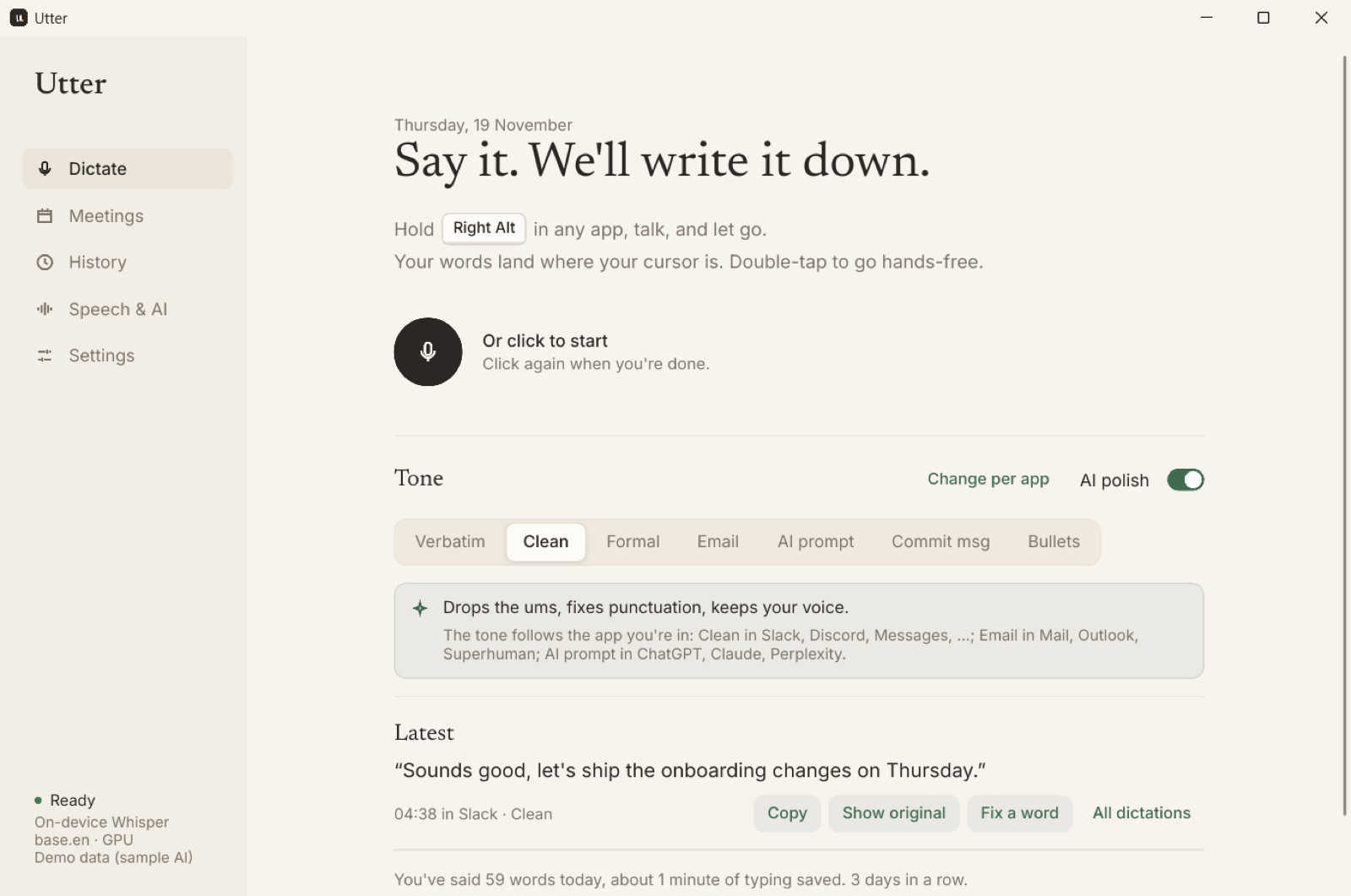
Dictation works in any app. I hold Right Alt (⌥ Space on a Mac), talk and let go, and the text appears at the cursor in Slack, VS Code or a terminal.
- Each phrase is typed when I pause, so I don’t wait for the end.
- The tone follows the app: tidy in Slack, a proper email in Outlook, a structured prompt in ChatGPT, a commit message in my editor. Without an AI key it still drops the ums and fixes capitals locally.
- Voice commands work on selected text, like “make this friendlier” or “translate to Spanish”.
- “New paragraph”, “scratch that” and saved snippets work as spoken edits. I can teach it names it keeps getting wrong.
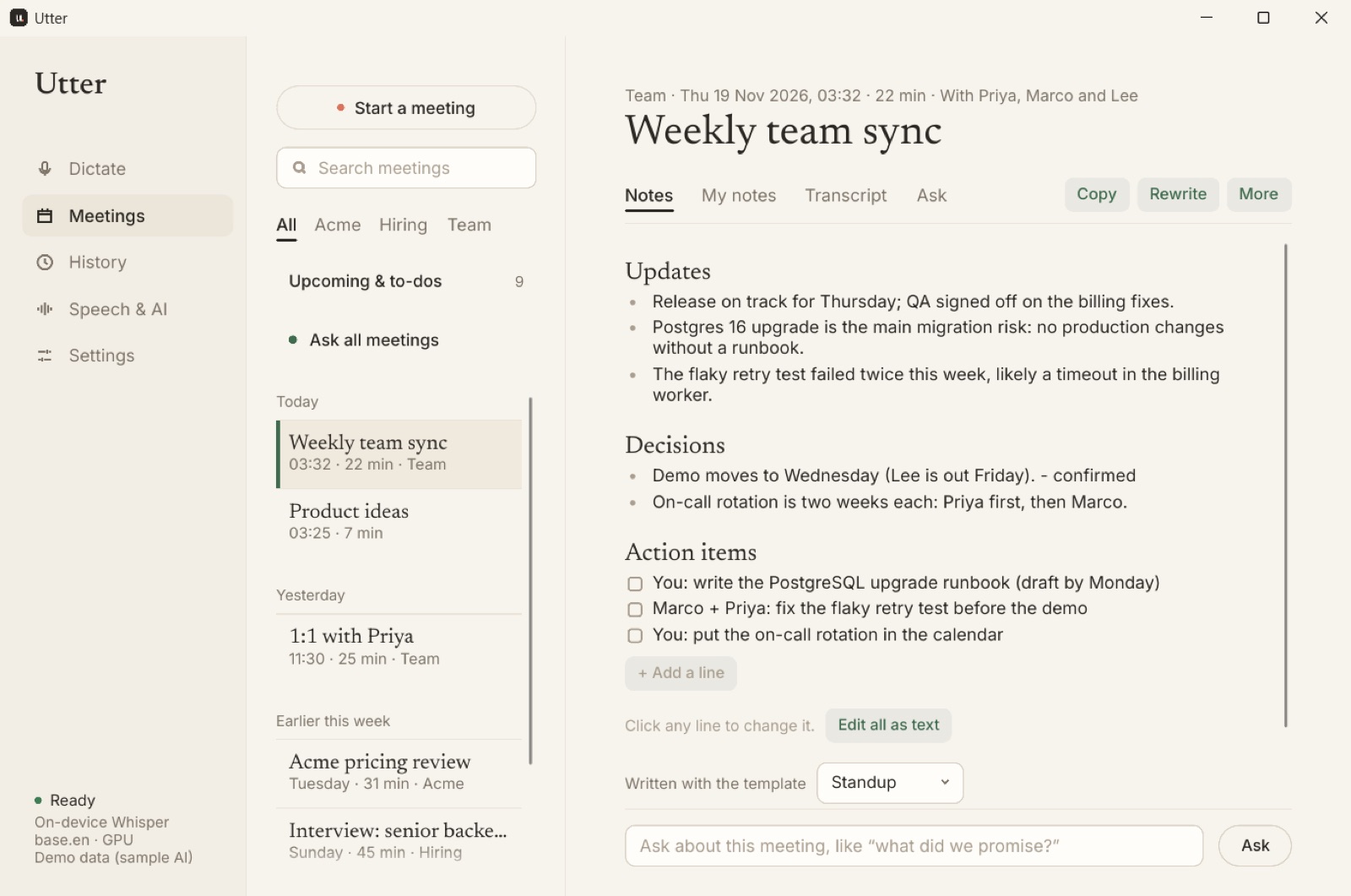
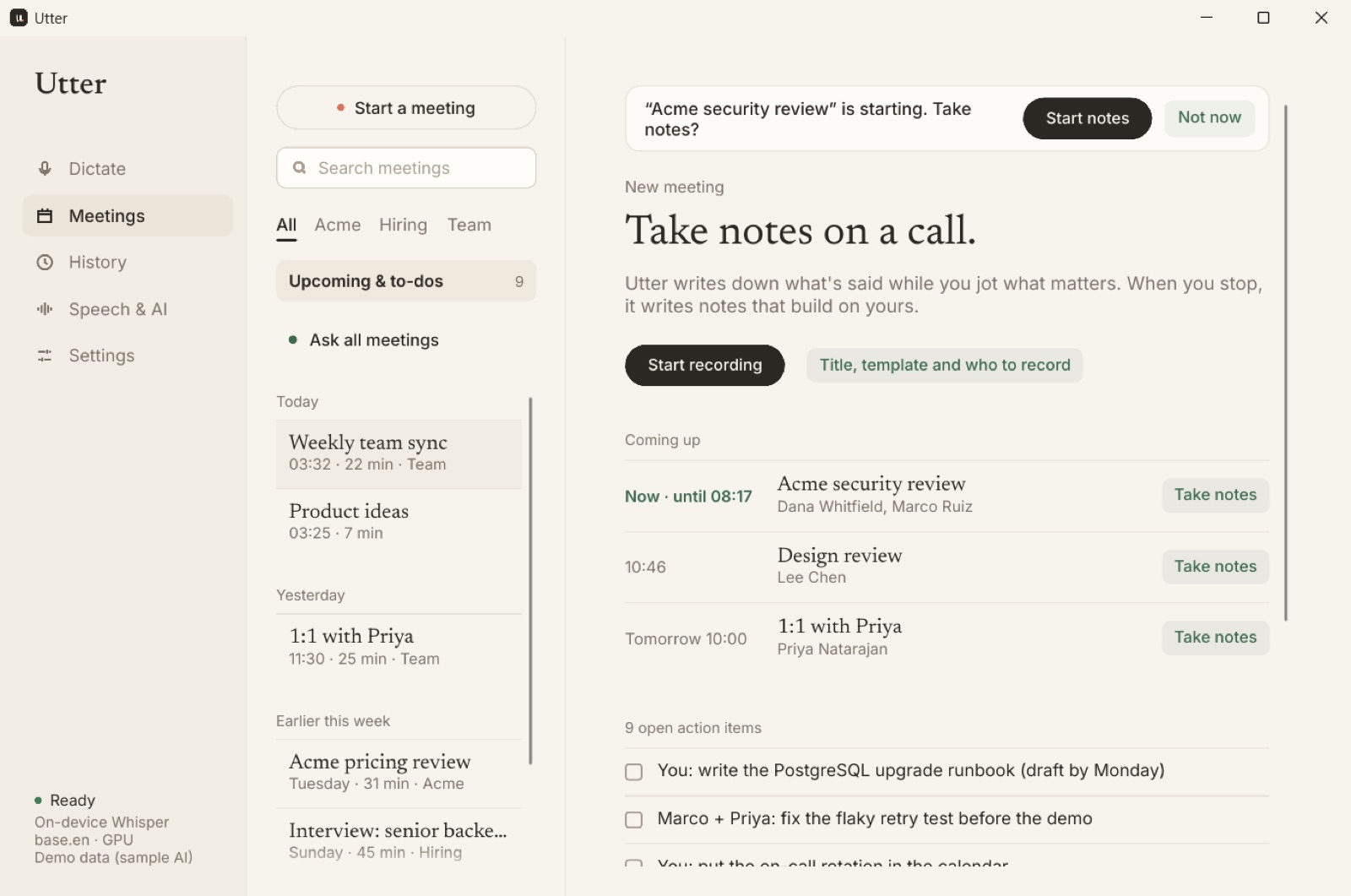
Meetings record my microphone as “Me” and the computer’s audio as “Them”, with no extra drivers. The transcript appears live. After the call, an on-device speaker model splits “Them” into separate speakers. Then Utter writes clean notes that expand the rough points I typed during the call with detail from the transcript. I can ask one meeting or all of them a question, and the answer says which meeting each point came from. It also notices calls in Zoom, Teams, Slack, Discord, Webex and Google Meet and offers to take notes.
How it works
- One engine thread does the work. Shortcuts, the tray, the window and the call watcher all send it commands through one queue.
- Slow jobs get their own threads: transcribing, AI writing, pasting and downloads. Recording never stutters.
- The window never waits on the engine. Every 50 ms it copies a snapshot of the engine’s state, and lists are rebuilt only when something changed.
- Keys live in Windows Credential Manager or the macOS Keychain, and each key is sent only to the service it belongs to.
Limits
Windows is the platform I’ve tested. The macOS version builds, and it needs microphone, accessibility and system-audio permissions.
Stack
Rust 2024, Slint 1.18, whisper-rs (Vulkan, CUDA or Metal), sherpa-onnx for speaker detection, cpal for audio, keyring. Speech services: local Whisper, OpenAI, Groq, OpenRouter, Hugging Face. Writing: OpenRouter, OpenAI, Groq or Ollama.